
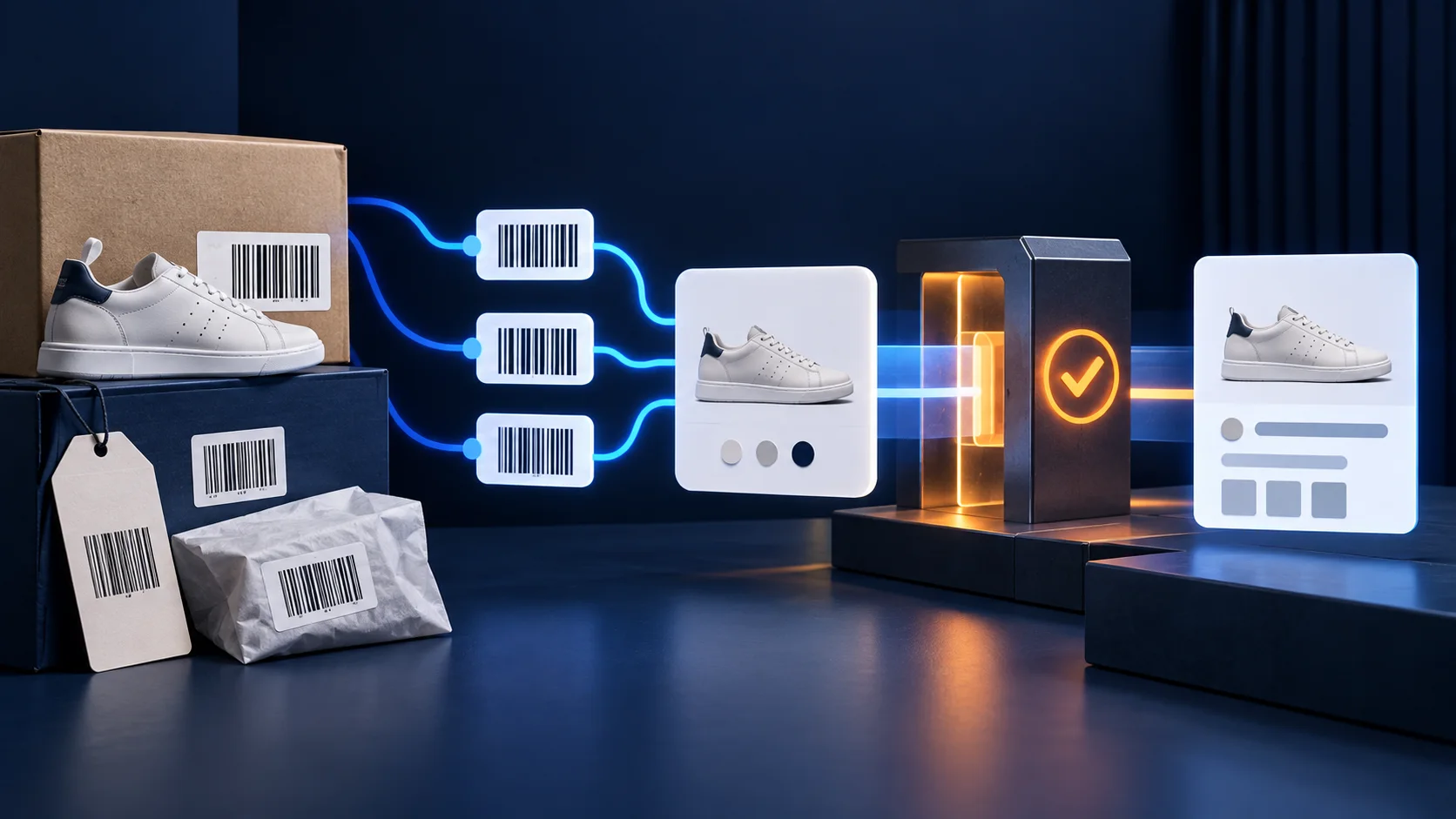
What should a Shopify store do with multiple barcodes?
Treat the first Shopify barcode as an explicit compatibility choice, not an accidental list order. Keep every legitimate identifier on the variant, decide which one each downstream channel accepts, and verify what the storefront, Google & YouTube channel, Merchant Center feed and product structured data actually expose. Never invent, shorten or reuse a GTIN to make an error disappear.
This guide applies when the same physical Shopify variant legitimately has more than one identifier—for example a manufacturer UPC and a distributor-specific GTIN, or identifiers for different retail channels. It does not mean every color or size can share one GTIN. Google says each variant should carry its own unique GTIN when the manufacturer assigned one.
Shopify announced multiple-barcode support for the 2026-10 Admin GraphQL API on September 8, 2026. The old singular ProductVariant.barcode field still works, but returns only the first entry. That backward compatibility is useful; it is also why an integration can continue running while silently ignoring the rest of the set.
What changed in Shopify's barcode model?
The new barcodes connection lets a variant hold up to 20 barcode records. Shopify can validate a declared type such as UPC, EAN, ISBN, GTIN or ASIN against that standard. Writing the plural barcodes input replaces the full set, while writing the legacy singular field updates only the first entry.
| Operation | Current behavior | Operational risk |
|---|---|---|
Read barcode | Returns the first barcode in the set | An ERP, feed app or export may not know that additional identifiers exist |
Read barcodes | Returns the full connection and declared types | Every consumer needs an explicit selection rule |
Write barcodes | Replaces the entire set | Omitting an existing value deletes it from the set |
Write barcode | Updates the first value and leaves the others in place | Changing first position may change what legacy integrations receive |
| Search by barcode | The barcode filter can match any barcode in the set | A successful lookup does not prove every export uses that value |
This is an integration migration, not just an Admin UI enhancement.
Choose one identifier for each destination
There is no universal rule that the first barcode must always be the UPC or always be the GTIN-13. The correct value depends on the actual product, target market and downstream contract. What matters is that the rule is deliberate, documented and tested.
| Destination | Decision to record | Pass condition |
|---|---|---|
| Shopify POS and Admin | Which codes staff may scan or search | Every approved physical code resolves to the intended variant |
| Google & YouTube / Merchant Center | The valid manufacturer-assigned GTIN for that exact variant | Feed item, landing-page variant and packaging identify the same product |
| Product structured data | One appropriate GTIN property for the product entity | Initial HTML exposes a valid value matching the selected variant and feed |
| ERP, WMS or supplier feed | Primary key versus alternate lookup values | Updates do not merge two physical items or create duplicate inventory |
| Marketplace connector | Whether it accepts GTIN, UPC, EAN, ISBN or ASIN and in which field | The exported value passes the marketplace's identifier rules |
Google distinguishes a barcode's printed symbol from the underlying unique product identifier. For Merchant Center, use the manufacturer-assigned GTIN that identifies the specific sellable variant. Products with several valid unique product identifiers may submit additional identifier attributes, but a variant is not permission to copy one code across every color or size.
A seven-step migration runbook
1. Inventory every barcode consumer
List the theme, Shopify apps, custom Admin GraphQL jobs, Google & YouTube channel, ERP, POS, WMS, marketplace connectors, exports and internal reports that read or write variant barcodes. Record the API version and whether each consumer uses barcode or barcodes. Do not assume an app is safe because it still syncs without errors.
2. Build a source-of-truth record
For a representative sample, capture the variant ID, SKU, product option values, physical packaging code, identifier type, issuer or source, destination, active status and last verification date. Preserve leading zeros. A spreadsheet that silently converts a code to a number can corrupt the value before Shopify ever sees it.
3. Classify, validate and deduplicate
Validate length and check digits against the declared standard. Shopify now validates typed values, while Google validates supported GTIN formats. Remove accidental duplicates, but do not collapse two different legitimate codes merely because they refer to one variant. Never generate a plausible-looking GTIN from a SKU.
4. Select the compatibility-first value
Choose which barcode stays first while legacy consumers remain. A safe default is the currently verified code already accepted by the most important production channel, provided it still represents the exact variant. Changing first position is a release decision because every singular-field reader may receive a different value.
5. Migrate full-set readers and writers
Move integrations that need alternates to the plural connection. When writing the set, fetch the current values first, merge the intended change, validate the final list and then replace it. Add a concurrency check or audit log so one system cannot silently erase a code added by another.
6. Reconcile Google-facing surfaces
Compare the Shopify variant, Google & YouTube product editor, Merchant Center item details, landing-page selection and initial HTML. Google says a product with an assigned GTIN should provide it, while a custom product with no GTIN should use appropriate brand and MPN information instead. Do not set identifier_exists to false when an assigned identifier actually exists.
7. Release a small sample and monitor
Start with variants that represent different identifier patterns: one valid GTIN, two legitimate identifiers, no manufacturer GTIN, and an intentionally unavailable variant. After release, monitor Merchant Center diagnostics, feed item history, checkout selection, POS scanning and integration logs before expanding the change.
Use one evidence matrix across every layer
| Layer | Evidence | Failure signal |
|---|---|---|
| Physical product | Photo or supplier record for the printed code | Code belongs to another pack size, color or edition |
| Shopify Admin/API | Full ordered barcode set with types and variant ID | Wrong first value, invalid type or missing alternate |
| Connector payload | Timestamped outbound item with selected identifier | Only the first value is exported without an explicit rule |
| Merchant Center | Processed item attributes and diagnostics | Invalid value, mismatch, missing GTIN or reused identifier |
| Landing page | Direct variant URL, visible option and purchasable state | URL falls back to another variant |
| Initial HTML | One matching gtin, gtin12, gtin13, gtin14 or isbn property | Markup describes a different variant or exposes competing values |
If your product-family markup is still unstable, complete the Shopify variant structured-data audit first. If Merchant Center reports a page-value disagreement rather than an identifier error, use the price-mismatch evidence workflow or the landing-page availability checklist.
Six expensive mistakes to avoid
- Assuming the first barcode is automatically the Google GTIN. First position is a compatibility behavior, not proof of meaning.
- Sending the same GTIN for every variant. Google expects a unique identifier for each color, size or other variant when the manufacturer assigned one.
- Replacing the set with a partial payload. A plural write replaces all current entries, so omitted values can disappear.
- Using ASIN as if it were a GTIN. Shopify can store both types, but each destination has its own accepted field and validation rules.
- Marking a branded product as identifier-free. Do not suppress
identifier_existsto bypass an error when a manufacturer-assigned GTIN exists. - Testing only the Admin page. A correct Shopify record does not prove the feed, initial HTML, selected URL or warehouse export is correct.
Common merchant questions
Can one Shopify variant have multiple barcodes now?
Yes. Shopify's 2026-10 Admin GraphQL API introduces a barcodes connection and plural write input. Shopify documents a maximum of 20 barcode records per variant. Availability in individual apps and merchant interfaces can lag the API, so verify the surface you actually use.
Which barcode does Shopify's old barcode field return?
It returns the first entry in the new barcode set. A legacy integration will not receive a warning that additional values exist. Keep the first value stable until every critical consumer has an explicit migration plan.
Can I send multiple GTINs to Google Merchant Center?
Google says to submit one GTIN for each variant. When a product legitimately has more than one valid unique product identifier, additional UPI attributes may be submitted. Confirm how your feed method represents them; do not concatenate values into one malformed string.
Should product structured data contain every Shopify barcode?
No. Google maps GTIN data through one supported schema property such as gtin, gtin12, gtin13, gtin14 or isbn, and advises specifying only one of these properties for the product entity. That value must identify the same visible, purchasable variant.
What if a private-label product has no GTIN?
Do not invent one. Google advises using the correct brand and MPN information for products without an assigned GTIN. Confirm whether the product is genuinely identifier-free rather than assuming every private-label item qualifies.
Will fixing GTINs guarantee Google Shopping approval or rankings?
No. Correct identifiers improve product matching and remove one class of data-quality errors, but eligibility also depends on the rest of the product data, landing page, policies and account status. Accurate structured data does not guarantee rich results, indexing, ranking or Discover exposure.
Primary sources and limitations
Primary sources reviewed on September 22, 2026 include Shopify's multiple-barcodes developer changelog, ProductVariantBarcode reference and product details documentation; Google's unique product identifier guidance, Shopify product-sync instructions and supported structured-data attributes. The destination matrix and migration sequence are ShopXN's editorial synthesis.
API behavior, app support and Merchant Center interfaces can change. This guide does not inspect a specific store, feed or physical catalog and cannot determine which identifier is valid without that evidence. It does not guarantee product approval, visibility, indexing, ranking or sales.
Make every identifier traceable before the catalog scales.
A Shopify SEO audit can reconcile variant identity across the theme, feed, structured data and merchant diagnostics.
Discuss your Shopify setup