
What does “product page unavailable” mean?
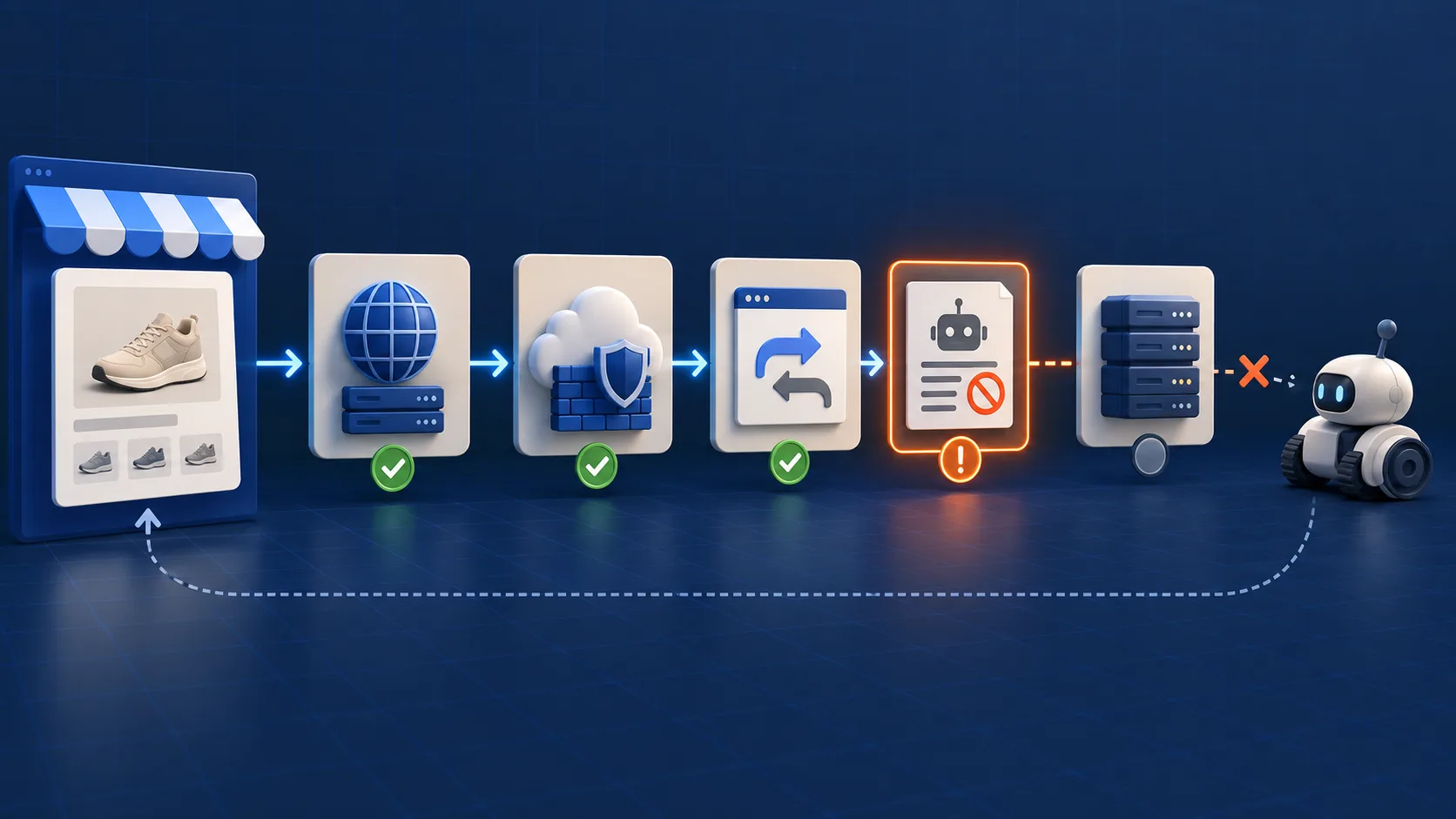
It means Google Merchant Center could not retrieve or use the landing page submitted for a product at the time it checked. Start with the exact item URL from Merchant Center—not the product URL you remember, a collection page or the store homepage. Record the final response, redirect chain, robots decision and CDN/origin evidence, then fix the first failed checkpoint.
This guide applies when a Shopify product is flagged with a landing-page availability problem. It does not diagnose price, inventory or account-policy warnings. A page being indexed in Google Search also does not prove that Merchant Center successfully fetched the same item URL at the same time. Search crawling and Merchant Center product checks are related, but they are not interchangeable receipts.
Google's official product-page-unavailable guidance lists unavailable pages, excessive redirects, server errors, robots restrictions, DNS failures and incorrect URLs among the causes. Google also says affected products stop serving until the page is available. That makes access evidence—not a screenshot—the first useful artifact.
Build one evidence record before changing the store
Choose one affected item and one unaffected control from the same Shopify template. Capture both at the same time. A clean control helps distinguish a product-level problem from a store-wide outage, CDN rule or integration failure.
| Checkpoint | Record | Pass condition |
|---|---|---|
| Submitted item | Merchant Center item ID, market, exact link and affected timestamp | The link belongs to the intended product and market |
| Redirect chain | Every status and destination, including query parameters | A short, stable chain ends on the intended product page |
| Access rules | robots response, CDN/WAF events, geo and rate-limit rules | The request is not denied, challenged or silently rewritten |
| Origin response | Status, response time, content type and body size | A complete HTML product response returns reliably |
| Buying page | Visible product identity, variant and availability | The final page is usable and represents the submitted item |
On a phone, swipe the table horizontally. Save timestamps and test conditions with the record.
Do not use a forged crawler user agent as proof that Google reached the page. It can be a diagnostic comparison, but the stronger evidence is a matching server/CDN log entry or Merchant Center's next successful check. Also avoid disabling the whole firewall as a first move; change the smallest rule you can identify and keep the control URL running.
Which layer owns the failure?
| Observed result | Likely owner | Next test |
|---|---|---|
| 404 on the submitted URL | Feed destination, handle change or product publication state | Compare the submitted link with the current canonical product URL |
| Several redirects or a loop | Markets, localization, app redirects or domain routing | Record every hop in a fresh session from the target market |
| 403, challenge page or intermittent denial | CDN, WAF, bot protection, geo rule or rate limiting | Inspect matching edge events and the origin response |
| 5xx or timeout | Theme/app request path, origin capacity, DNS or upstream outage | Compare multiple timestamps and an unaffected template control |
| 200 but generic, empty or wrong product | Redirect fallback, JavaScript rendering, variant routing or market logic | Save initial HTML and rendered result for the exact item URL |
A single 200 response does not close the investigation. A CDN can return a 200 challenge or a generic store page, and a redirect can remove the variant or market context. Confirm product identity in the returned HTML and final buying path.
A seven-step verification sequence
1. Copy the exact Merchant Center link
Open the affected item in Merchant Center and copy the destination exactly. Preserve query parameters. If the Shopify Google & YouTube channel is the source, document that source and its last sync; if a feed app or manual source owns the item, record that instead. Shopify's Google & YouTube documentation explains that the channel syncs product information to Merchant Center, but a sync setting is not evidence that the landing page can be reached.
2. Resolve and follow every redirect
Test the submitted URL without first visiting the store or accepting localization cookies. Save the status sequence and the final URL. Google specifically calls out redirect chains with more than two redirects in its issue guidance. Avoid broad rules that send retired product URLs to the homepage; a generic destination can remain unusable even though it returns a successful status.
3. Check robots decisions at the destination
Review the live /robots.txt file and any custom Shopify robots.txt.liquid changes. Shopify says its default robots template is preconfigured and ordinarily does not need customization. If a custom rule exists, identify who added it and what user agents or paths it affects before editing it. Robots changes can expose or suppress far more than the one product under investigation.
4. Inspect CDN, firewall and regional behaviour
Look for blocks, managed challenges, browser checks, country rules and bot-fight settings at the timestamp of the failure. Test the intended market and a normal clean session. If the store uses Cloudflare or another edge provider, compare edge and origin results rather than assuming Shopify returned the denial. A temporary allow rule should be narrow, logged and reversible.
5. Verify the origin and initial HTML
Confirm that the origin returns complete HTML within a repeatable response time. Check that the document identifies the intended product and does not depend on a late client-side redirect to replace a generic shell. Save response headers and enough body evidence to identify the page; do not store customer data or authentication cookies in the issue packet.
6. Recheck the product's publication and market state
A product can exist in Shopify while being unavailable to the Online Store, a market or the connected sales channel. Verify the product, variant and domain represented by the submitted item. Headless and multi-domain stores deserve extra care because Shopify notes that product links must match the configured domain when connecting Merchant Center.
7. Fix the first failure, retest, then request a website check
Retest both the affected URL and the control after the smallest repair. Then use Merchant Center's issue workflow to request a website check. Google's documentation says that a website check can take up to 12 hours; treat that as guidance, not a guaranteed completion time. Do not use Search Console's Request indexing button as a substitute for the Merchant Center review.
Three diagnostic patterns
These are hypothetical troubleshooting records, not customer results. They show how evidence changes the repair choice.
Pattern A: the handle changed, but the feed did not
The submitted item opens an old handle, redirects twice and then lands on the store homepage. The current product URL works, but the advertised destination no longer identifies the product. The repair belongs to the feed destination or redirect mapping—not to robots.txt. The pass condition is a stable submitted link that reaches the intended product with its identity preserved.
Pattern B: browsers pass, the edge presents a challenge
The merchant's normal browser receives the product page. At the issue timestamp, however, edge logs show an automated request receiving a managed challenge instead of product HTML. The origin is healthy and a same-template control passes. The repair belongs to the narrow edge rule. The pass condition is a complete product response without a challenge while ordinary security controls remain active.
Pattern C: the status is 200, but the body is not the product
A market script converts an unsupported destination into a generic selector page with status 200. A status-only monitor reports success, but the returned document has no affected product identity. The repair belongs to the market or redirect logic. The pass condition is a usable landing page for the submitted market, not merely a green status code.
Common merchant questions
Why is the page unavailable to Google if it opens for me?
Your browser can carry cookies, a familiar location and previously solved security challenges. Google's check can arrive from another network and without that state. Compare the exact submitted URL and timestamp in edge and origin logs instead of treating your browser session as the only test.
Can Cloudflare block Google Merchant Center?
Any CDN or firewall rule can affect access if it challenges, denies, rate-limits or rewrites the request. Do not assume the provider is the cause without a matching event. Inspect the rule result and the response body, then make the smallest reversible correction.
Does Search Console indexing prove the product is available?
No. Search Console can confirm Google's search-index state for a URL, while Merchant Center evaluates product destinations for shopping surfaces. Use each product's actual issue and review receipt. If the problem is instead a value disagreement, use the separate Shopify Merchant Center price-mismatch guide.
Should I redirect an unavailable Shopify product?
Only when another destination genuinely satisfies the same product intent. Temporary stockouts, discontinued products and replaced models need different decisions. The Shopify out-of-stock SEO guide provides a keep, hide or redirect framework.
Why are Shopify products not showing in Google Shopping?
Landing-page access is only one possibility. Check the exact Merchant Center issue, product source, policy state, target country, required attributes and review status. Do not remove and reconnect the entire integration until the evidence points to account or source configuration.
Request review with a useful issue packet
Give the responsible operator the item ID, exact submitted and final URLs, target market, timestamps, redirect chain, access-rule evidence, origin result, control URL and the smallest proposed repair. State what will prove success. Do not send passwords, customer cookies or unrelated logs.
For a wider crawl review, continue with the Shopify technical SEO checklist. If the catalog is being prepared for AI shopping experiences, the AI shopping readiness guide covers data and policy foundations beyond this access error.
Sources and limitations
Official Google Merchant Center and Shopify documentation linked above was checked on September 14, 2026. The access record, failure matrix and worked patterns are ShopXN's editorial synthesis. Merchant Center interfaces, Shopify channel behaviour and security products can change. This guide does not guarantee product approval, indexing, rankings, Discover exposure or a review deadline.
Turn one error into a repeatable access test.
A Shopify SEO audit can connect feed destinations, edge evidence and page behaviour into a prioritized repair plan.
Discuss your Shopify setup