
Shopify filter URLs and SEO: what the defaults already do
Shopify blocks sorted and multi-filter URLs by default and points filtered pages back to the collection. Single-filter URLs remain crawlable. Measure before you change anything, then fix in the right order.
01How filters appear in Shopify URLs
When a shopper filters a collection, Shopify adds the choice as URL parameters [1]:
- Product-level filters use
filter.p.*, for example?filter.p.vendor=acme. - Variant-level filters use
filter.v.*, for example?filter.v.availability=1or?filter.v.price.gte=50. - Several filters combine with
AND, and several values of one filter withOR. - A store can create up to 25 filters.
Sorting adds ?sort_by=. Older themes may also use tag paths such as /collections/shoes/red, or tag combinations such as /collections/shoes/red+leather.
02What Shopify does by default
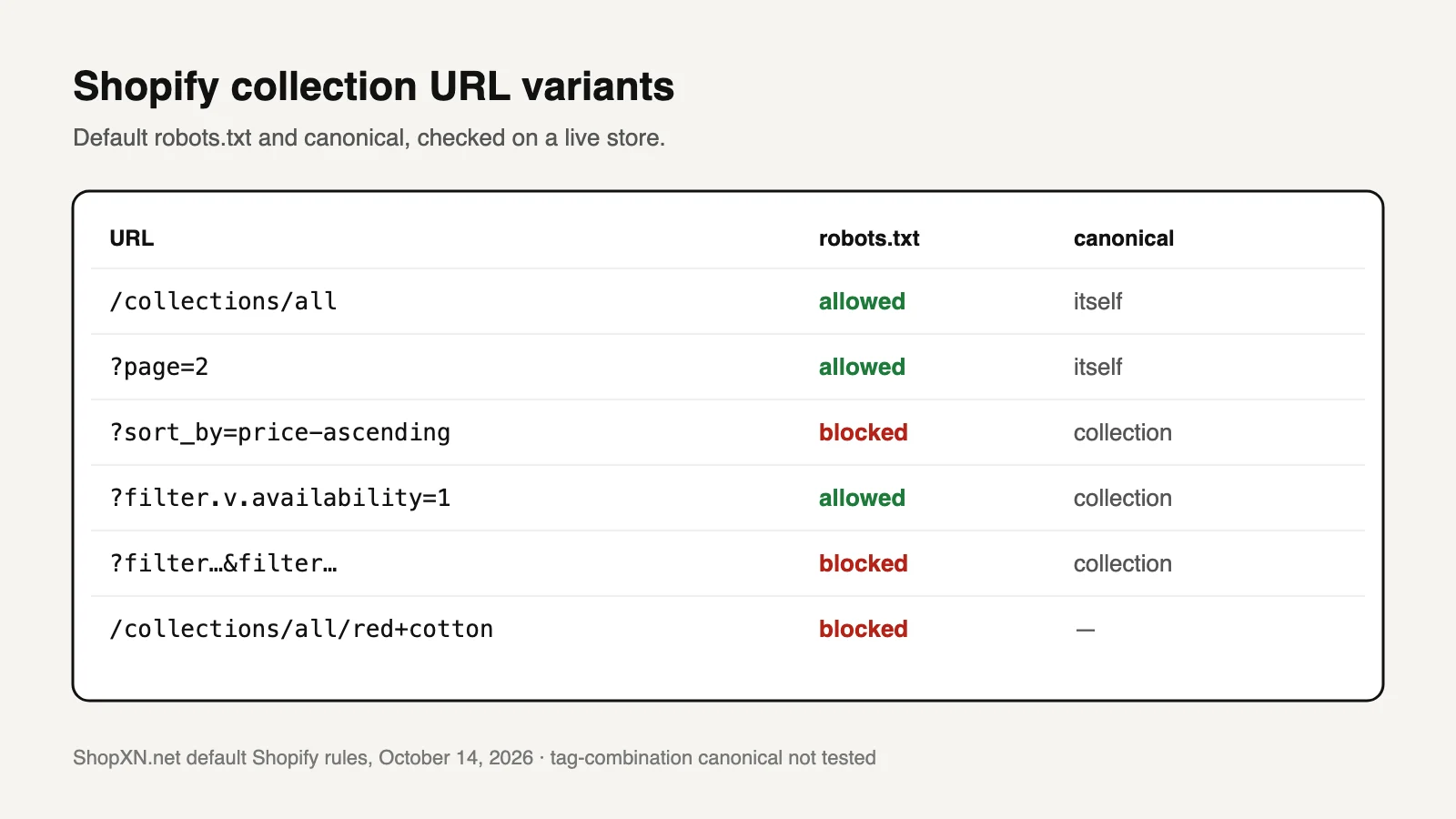
We checked the live defaults on ShopXN.net, a Shopify store without custom robots rules, on October 14, 2026 [2].
| URL type | Example | Default robots.txt | Canonical observed |
|---|---|---|---|
| Plain collection | /collections/all | Allowed | Itself |
| Page 2 | ?page=2 | Allowed | Itself, ?page=2 |
| Sorted | ?sort_by=price-ascending | Blocked by /collections/*sort_by* | Plain collection |
| One filter | ?filter.v.availability=1 | Allowed | Plain collection |
| Two or more filters | ?filter.v.availability=1&filter.v.price.gte=5 | Blocked by */collections/*filter*&*filter* | Plain collection |
| Tag combination | /collections/all/red+cotton | Blocked by /collections/*+* | Not tested |
So by default, Google can crawl single-filter URLs but is told to index the plain collection instead. In most stores that is fine. Themes and filter apps can change all of this, so check your own store before relying on the table.
03Measure whether filters are actually a problem
Count filter URLs in Page indexing
Export sample rows from "Alternate page with proper canonical tag", "Crawled – currently not indexed" and "Discovered – currently not indexed". Count how many URLs contain filter., sort_by or tag paths.
Find the source
Check whether filter values on collection pages are plain <a href> links. Crawlable links make every value a discoverable URL. Form controls or buttons do not.
Check for an app's own parameters
A filtering app may replace Shopify's parameters with its own, which the default rules don't recognise.
Worked example: 30 collections, each showing 4 filters with an average of 8 values, give 30 × 4 × 8 = 960 crawlable single-filter URLs. They are linked from pages that are already crawled. If your store has 600 products and Search Console's samples are dominated by filter URLs, the filters are competing with products for crawling. If samples show a handful, leave the defaults alone.
04Fix in this order
- Keep the canonical. The canonical to the plain collection is the main protection. Don't let an app replace it with self-referencing canonicals on filtered pages.
- Reduce crawlable filter links. If the numbers are high, ask the theme developer to submit filter values as a form or buttons, rather than plain links. Changing what Google discovers works better than blocking after the fact.
- Add
robots.txtrules only for measured patterns. Shopify lets you edit rules through robots.txt.liquid [3]. Blocking every single-filter URL also hides its canonical from Google. Add the rule only when crawl waste is real and the URLs have no search value. - Re-measure after four weeks. Compare the same Page indexing samples. Expect gradual change.
What not to do
- Don't combine
noindexwith arobots.txtblock on the same URLs. Google cannot see anoindexon a page it may not crawl. - Don't block
?page=. Products beyond page 1 are found through pagination. - Don't remove filters that shoppers use. Fix how they are linked.
05When a filter combination deserves a real page
Some filtered sets match real searches, such as "waterproof hiking boots" or "linen bedding queen". A filter URL is a poor landing page: its title and description are the collection's, and its canonical sends Google to the plain collection.
| Filter URL | Dedicated collection | |
|---|---|---|
| Own title and description | No | Yes |
| Canonical | Points to the parent collection | Itself |
| Introductory copy for the searcher | No | Yes |
| Linked from navigation and guides | Rarely | Yes, on purpose |
Create the collection with rule-based conditions, write its own search listing and introduction, and link to it from the parent collection and relevant guides.
06Copy this robots-rule decision record and fill in the brackets
robots.txt.liquid change record
Pattern to block: [e.g. /collections/*?*filter.p.vendor*]
Evidence: [n] of [n] Page indexing samples on [date] match this pattern
Search value: Search Console queries landing on these URLs in the last 28 days: [n] (expect 0)
Canonical on these URLs today: [plain collection / other]
Alternative tried first: [filter links changed to form controls on date / not possible because …]
Pages that must stay crawlable: ?page=, plain collections, products
Rule added in robots.txt.liquid on [date] by [name]; previous file saved as [backup]
Recheck: same Page indexing samples on [date + 4 weeks]
07Questions
Should Shopify filter pages be indexed?
Usually not as filters. If a filtered set matches a real search need, make it its own collection. Otherwise let the canonical send signals to the main collection.
What is faceted navigation in SEO?
Filtering a list by several attributes, such as size, colour, price and brand. Each combination can produce a URL, which is why stores limit how many combinations search engines can reach.
Why does Shopify allow single-filter URLs?
The default rules block combinations and sorting, which multiply fastest. Single-filter pages carry a canonical to the collection, so Google is told not to index them. Shopify does not document the reasoning; this is our reading of the rules.
Is robots.txt.liquid safe to edit?
Shopify supports it, but treats edits as your responsibility. Keep a copy of the previous file and change one pattern at a time.
Sources and what still needs a direct check
- Shopify, Storefront filtering. Parameter format, AND/OR logic, 25-filter limit. Checked October 14, 2026.
- Default Shopify
robots.txtand canonical tags observed on ShopXN.net, October 14, 2026. - Shopify, Customize robots.txt. Checked October 14, 2026.
Still to check yourself
- Your theme's filter markup: links, form controls or buttons.
- Whether a search or filter app adds parameters the default rules don't cover.
- Canonical behavior on tag-combination URLs, which we did not test.
Related: duplicate product URLs from collection paths, out-of-stock products, and the technical SEO audit checklist, where checks 01–04 cover access and discovery.