
Shopify blog SEO: what the built-in blog can and can't do
The native blog is on your domain, editable and in the sitemap. Its limits are templates, content fields and editorial workflow, not indexing. Use this to decide whether to fix the blog you have or move content out.
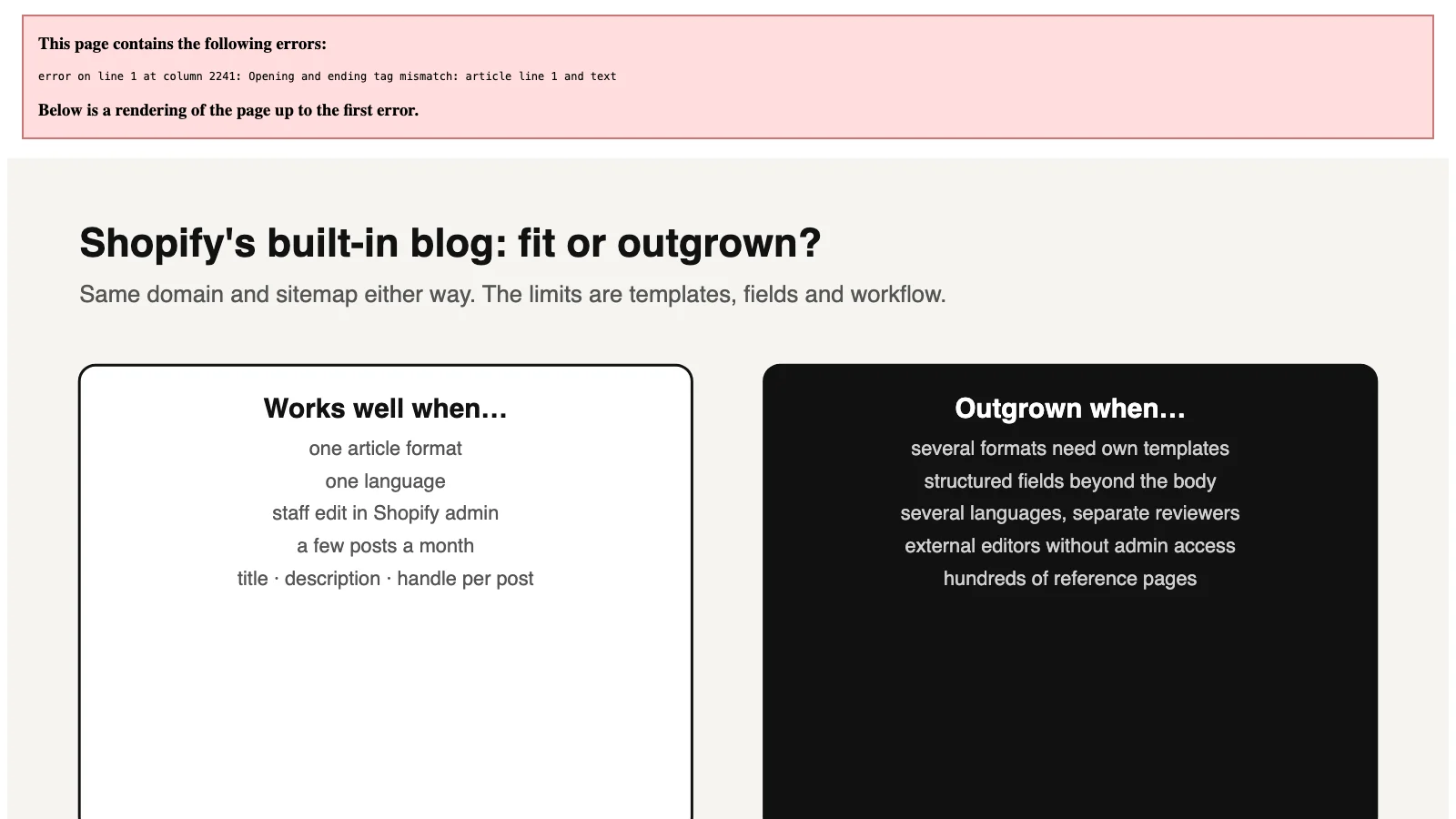
01When the built-in blog is enough
Shopify's built-in blog works well for a store that publishes a few articles a month, in one language, written by staff who already use the Shopify admin. Each article has an editable search listing and URL handle [1]. It sits on your own domain and is included in Shopify's generated sitemap [2].
The limits appear when content becomes a product of its own:
- many article formats;
- structured data beyond a headline and body;
- several languages;
- editors who should not need store access.
None of these stop Google from indexing a Shopify blog. They make a large library harder to keep consistent, linked and current.
02What you can control, and what each control does not prove
| Element | What Shopify gives you | What it does not prove |
|---|---|---|
| URL | /blogs/<blog-handle>/<article-handle>. Both handles are editable, and changing one can create a redirect [1] | That you can change /blogs/. That segment is fixed [5] |
| Search listing | Page title and meta description per article. Shopify notes titles over 70 characters and descriptions over 160 may be truncated [1] | That Google will display your description. It may write its own snippet |
| Template | One custom template can be assigned per blog, and all posts in that blog use it [1] | That different article formats can have different layouts inside one blog |
| Structured data | Whatever your theme outputs | That Article markup exists. Test one article before assuming it |
| Tag archives | /blogs/<blog>/tagged/<tag>. Shopify's default robots.txt blocks tag combinations containing + [3] | That single-tag pages are blocked. They can be crawled |
| Languages | Translated articles, with automatic hreflang once the language has its own URL [4] | That the translation is good. Shopify does not review quality |
| Sitemap | Blog posts appear in the generated sitemap [2] | That you can remove a post from it without unpublishing it |
03Five places the native blog stops, and the symptom to look for
One template per blog
Symptom: buying guides, comparisons and tutorials all look the same, or editors keep pasting layout code into the body. Different formats need different blogs, such as /blogs/guides/ and /blogs/compare/, or theme sections that editors must remember to use.
A thin content model
Symptom: specifications, sources, review dates or product facts are typed into the body by hand and drift out of date. An article has a title, body, excerpt, image, author, tags and optional metafields. Metafields only appear if the theme is built to show them.
Manual linking
Symptom: articles still link to discontinued products, or new articles never link back to older ones. Nothing keeps related articles and product mentions current across hundreds of posts.
Editors inside the store admin
Symptom: agencies or freelance translators need staff accounts with blog permissions. That is an access-control decision as much as a content one.
A fixed URL pattern
Symptom: you want topic-based URLs such as /guides/lighting/. The /blogs/ segment does not hurt rankings, but it does stop you designing the URL structure around topics.
04Fix these in place before you change anything
- Write each search listing. Many Shopify blogs still use "Article title – Store name". Write a title and description for each article that matters, describing the question it answers.
- Link to what the reader needs next. An article that answers a buying question should link to the collection or product that fulfils it, near the point where the answer is given. This is the cheapest internal-linking win on most stores.
- Check Article markup. Run one article through Google's Rich Results Test. If the theme outputs nothing, fix the theme before you change platforms.
- Decide about tag pages. If single-tag archives are not useful landing pages, stop linking to them prominently. Don't hide them with improvised rules.
Worked example: a store with 40 articles and 25 collections can usually add one relevant collection link to most articles in a single afternoon. Compare that with weeks of setting up a second system that would then need the same links added anyway.
05Stay native or move the content out
| Your situation | Reasonable choice | Why |
|---|---|---|
| Up to about 10 articles a month, one language, one format | Stay native | The limits above do not apply yet. Improve listings, links and markup |
| Several formats, a clear need for structured fields | Separate blogs plus article metafields first | Cheaper than a second system. Move only if theme work becomes the bottleneck |
| Several languages with separate reviewers, or an external editorial team | A separate content system on the same domain | Workflow and permissions become the real constraint |
| Hundreds of reference pages built from structured data | A separate system with its own data model, routed into a folder | The content is a database, not a blog |
The thresholds are editorial judgement, not Shopify limits. ShopXN.net is in the last row. Its library describes countries, operators and network details in English and Chinese, and is updated on its own release cycle, so it is served from a separate system in a folder on the store domain. For a store that publishes occasional news and product stories, the same setup would be unnecessary overhead.
If you do move, read how to put a separate content folder on your Shopify domain. If the other system is WordPress, see Shopify and WordPress together.
06Copy this one-article audit and fill in the brackets
Shopify blog article audit
URL: https://[yourstore.com]/blogs/[blog]/[article]
Question it answers: [one sentence a customer would search]
Search listing title written for that question? [yes/no] Length: [n] characters (Shopify warns above 70)
Meta description describes the answer? [yes/no] Length: [n] characters (Shopify warns above 160)
Links to the collection/product that solves it: [URL or "missing"]
Linked from at least one indexed page: [URL or "missing"]
Rich Results Test shows Article markup: [yes/no]
Search Console (last 28 complete days): impressions [n], clicks [n], main query [text], position [n]
Decision: keep / improve listing / add links / merge with [URL] / remove
07Questions
Is Shopify good for blogging?
For occasional, single-language articles written by store staff, yes. The blog is on your domain, editable and included in the sitemap. It becomes harder with many formats, structured fields or separate editorial workflows.
Do blog posts help a Shopify store's SEO?
Only if they answer questions people search for and lead readers to the right products. Posts that repeat product descriptions or publish general news rarely help. Search Console shows whether an article appears for the question you intended.
Can I change the /blogs/ part of the URL?
No. You can change the blog handle and each article handle, not /blogs/. A different path requires content served outside Shopify's blog.
Should I noindex blog tag pages?
Only if they are thin and you have measured that Google spends time on them. Usually the simpler fix is to stop linking to them prominently. A noindex on a page that is also blocked in robots.txt cannot be seen by Google.
Sources and what still needs a direct check
- Shopify Help Center, Manage blogs for your online store. Default blog, handles, redirects, templates, title and description length warnings. Checked October 14, 2026.
- Shopify Help Center, Finding and submitting your sitemap. Sitemap contents. Checked October 14, 2026.
- Default Shopify
robots.txtas served by ShopXN.net on October 14, 2026, includingDisallow: /blogs/*+*. - Shopify Help Center, International SEO for markets. Automatic hreflang. Checked October 14, 2026.
- Shopify Community replies on the fixed
/blogs/URL segment. Staff and expert replies, not a Help Center article.
Still to check yourself
- Whether your theme outputs Article structured data, and which fields it includes.
- Whether any app adds its own blog templates, tags or sitemap entries.
- How your theme renders article metafields, if you plan to use them.
Next: use the technical SEO audit checklist on your blog templates. Compare options on our content hub page, or read about headless Shopify versus keeping your theme.