
Shopify and Google Search Console: set up, then read one page at a time
Verification and a sitemap take minutes. The value comes from reviewing important pages one by one: indexed, which searches, what position, any clicks. Here is the method, with our own numbers.
01Connect a Shopify store to Search Console
Choose the property type
| Domain property | URL-prefix property | |
|---|---|---|
| Covers | All subdomains and protocols of the domain | One exact address, such as https://yourstore.com/ |
| Verification | DNS TXT record at your domain provider | HTML meta tag in theme.liquid, directly below <head> [1] |
| Use when | You control DNS and want one view of everything | You can only edit the theme, or need one host separately |
Submit the sitemap
In Sitemaps, enter sitemap.xml. Shopify generates it at the root of each store domain, with child sitemaps for products, collections, pages and blog posts. Submit each international domain's sitemap separately [1].
Two things that block a new setup
- Password protection. Shopify notes the sitemap cannot be read while the store is in private mode [1].
- Content outside Shopify. If part of the site is served from another system, that system needs its own sitemap. Shopify's file lists only Shopify resources. Submit it and list it in
robots.txt, as described in Shopify blog in a subfolder.
Performance data arrives a few days late. A new store may show very little for weeks. That is expected, not a fault.
02Read the Page indexing statuses you will meet on Shopify
| Status | Usually on Shopify | What to do |
|---|---|---|
| Alternate page with proper canonical tag | Variant, filter or collection-path URLs pointing to the main page | Expected. Check the count is not growing fast. See duplicate product URLs and filter URLs |
| Duplicate, Google chose different canonical than user | Links or redirects point somewhere other than your canonical | Compare where internal links point with the declared canonical |
| Discovered – currently not indexed | New products, articles or a new content folder | Add links from pages that are already indexed. Wait |
| Crawled – currently not indexed | Thin or near-duplicate pages | Compare with indexed pages of the same type. Improve or merge |
| Blocked by robots.txt | Cart, checkout, account, sorted and multi-filter URLs (Shopify defaults) | Fine if intended. Investigate only unexpected paths |
| Not found (404) | Deleted products, changed handles, removed markets | Redirect URLs that had traffic or links. Ignore the rest |
Keep these states apart: submitted (in the sitemap), discovered (known), crawled (fetched), indexed (can appear), shown (impressions) and clicked. Each one is a different step, and "requesting indexing" moves none of them on its own.
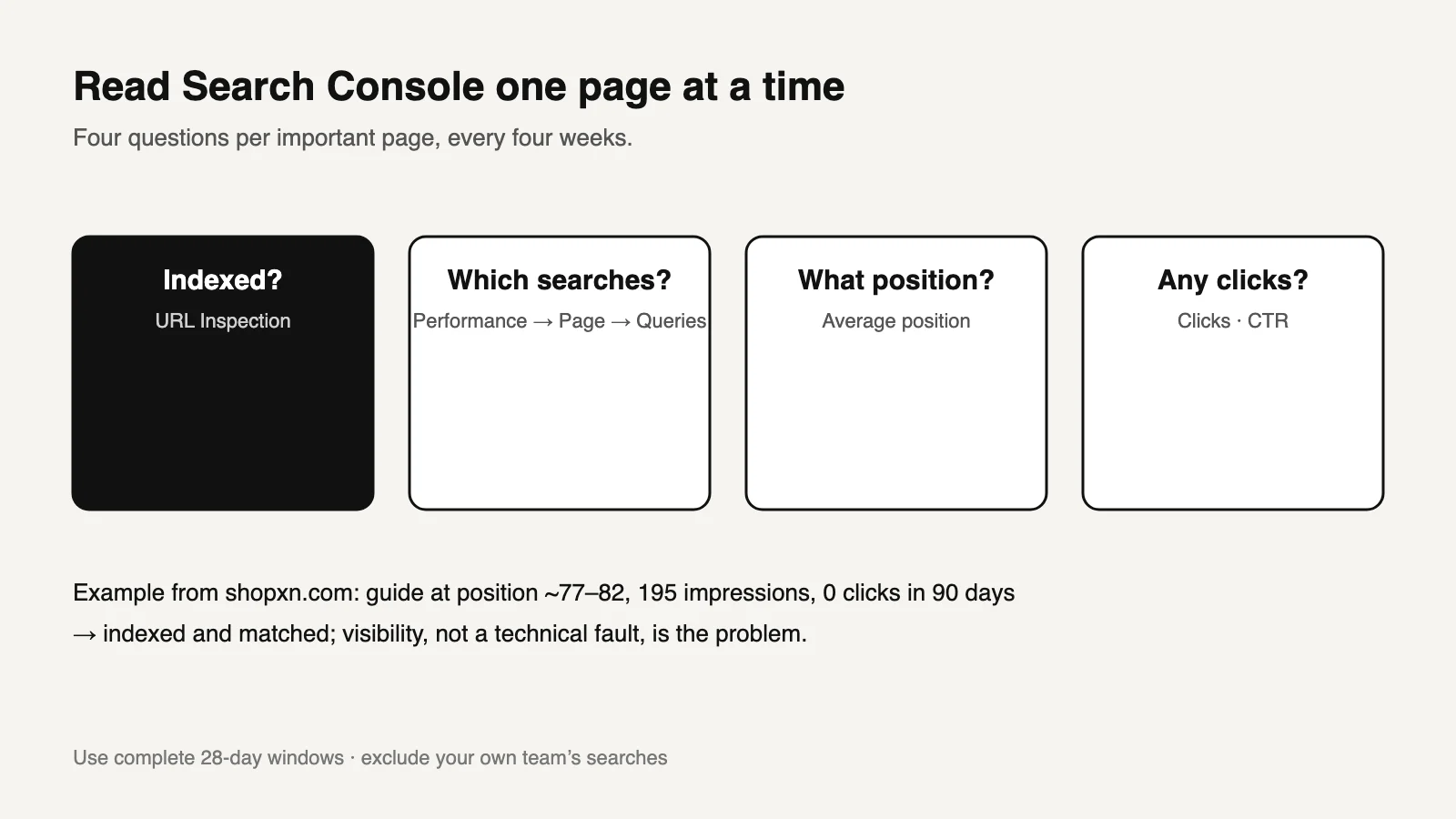
03Review one page with four questions
| Question | Where | How to read it |
|---|---|---|
| Is it indexed, with the canonical you declared? | URL Inspection | If not, fix indexing before anything else |
| Which searches show it? | Performance → filter Page → Queries | Does the main query match what the page was written to answer? |
| Where does it rank for them? | Same view, Average position | 1–10: can earn clicks. 11–30: improvable. 50+: barely visible |
| Do people click? | Clicks and CTR for the same queries | Low CTR at a good position suggests the title or snippet doesn't match the search |
Use a complete 28-day window and compare it with the previous 28 days. Exclude your own team's searches, for example by filtering out the country your team works in, because checking your own rankings inflates impressions.
04A real review: our own guide
In the 90 days to October 12, 2026, with our team's own searches excluded, our English Shopify SEO guide showed:
| Query | Impressions | Clicks | Average position |
|---|---|---|---|
| shopify seo guide | 70 | 0 | 82 |
| shopify seo | 36 | 0 | 77 |
| seo shopify | 24 | 0 | 71 |
| Page total | 195 | 0 | 76 |
What the four questions told us:
- Indexed and matched to the right searches. There was no technical fault to fix.
- Position 71–82. Almost nobody sees it, and the top ten belongs to Shopify itself and large SEO platforms. A new title alone will not produce clicks.
- Our problem-specific articles did better. They reached positions 6–48 within weeks of publishing, so new effort goes there first.
The site total said "a few hundred impressions, no clicks". The page review said why, and what to do next.
05Copy this page review sheet and fill in the brackets
Search Console page review (repeat every 4 weeks)
Page: https://[domain]/[path]          Written to answer: [one search question]
Window: [start]–[end] (28 complete days), compared with [previous 28 days]; own-team traffic excluded: [how]
URL Inspection: indexed [yes/no], user canonical = Google canonical [yes/no], last crawl [date]
Top queries: [query] [impr] [clicks] [pos] · [query] … · [query] …
Matches intended question: [yes / partly / no]
Diagnosis: not indexed | wrong queries | visible but low position | good position, low CTR | fine
Action (one only): [fix indexing / rewrite answer / add internal links / rewrite title+description / none]
Changed on: [date]   Next review: [date + 4 weeks]
06Questions
How do I add Google Search Console to Shopify?
Create a URL-prefix property and paste Google's verification meta tag into theme.liquid below <head>. Alternatively, create a Domain property and verify it with a DNS TXT record. Then submit sitemap.xml [1].
How long does indexing take?
There is no fixed time. New stores and new sections often stay "Discovered" for weeks. Links from already indexed pages are the most reliable way to speed it up.
Why do Shopify sessions and Search Console clicks disagree?
They measure different things. Search Console counts search impressions and clicks. Shopify sessions and GA4 count visits under their own rules. See Shopify session changes.
Should I click "Request indexing" for every page?
No. It asks Google to look again and is rate-limited. If a page has a content or canonical problem, the result will not change.
Sources and what still needs a direct check
- Shopify Help Center, Finding and submitting your sitemap. Sitemap location and contents, private mode, HTML tag verification, international domains. Checked October 14, 2026.
- Google Search Console Help, report definitions for Performance and Page indexing.
- ShopXN.com Search Console data, July 14 – October 12, 2026, team searches excluded.
Still to check yourself
- Which property type is already verified for your store, and by whom.
- Whether an SEO app has added its own verification tag or sitemap.
- How to exclude your own team's searches in your situation.
Next: pick your ten most important pages and fill in the review sheet for each. To connect this with real inquiries and orders, our SEO reporting page describes how we keep visibility, measurement and business results apart.